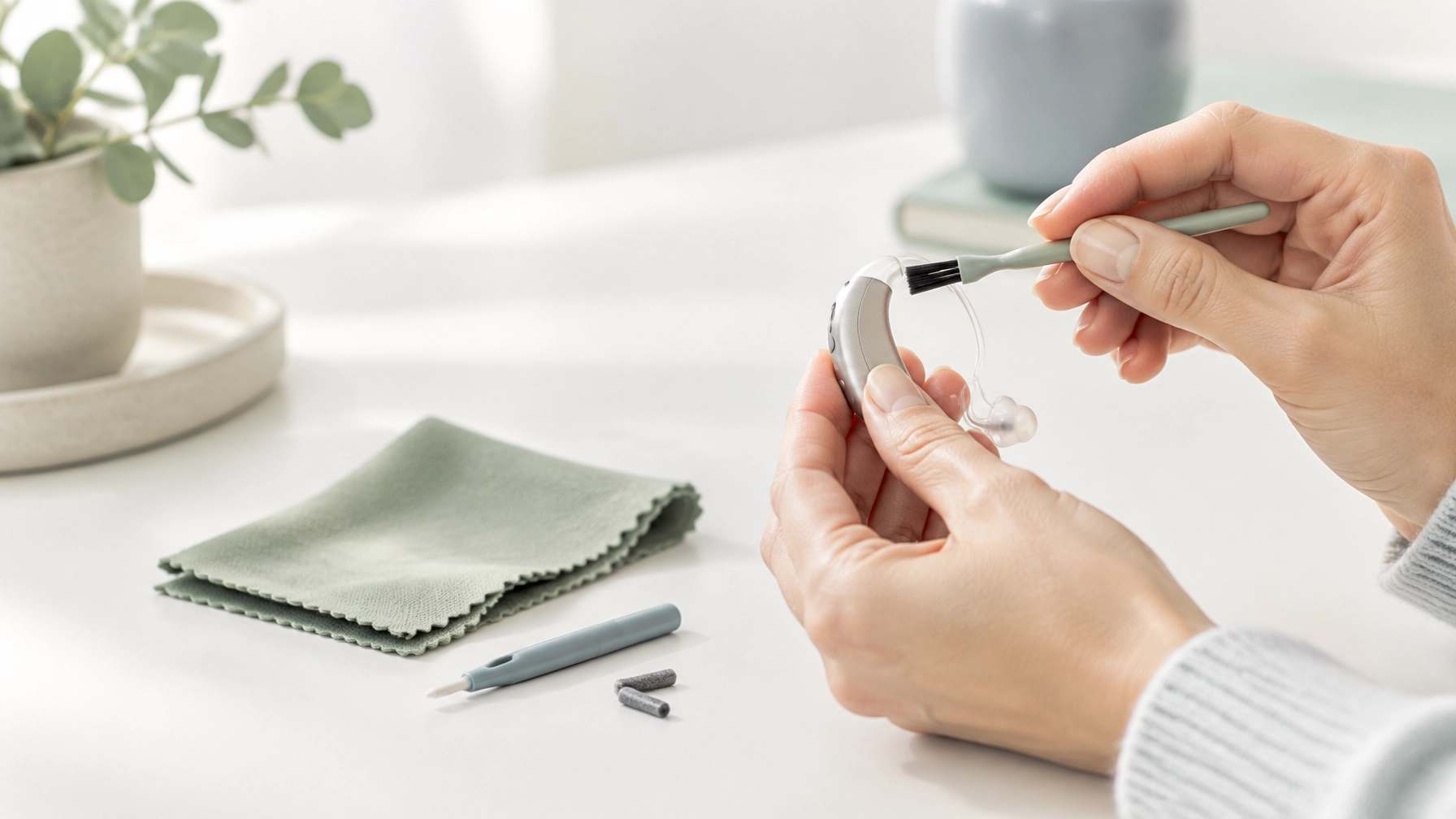
How to Clean Your Hearing Aids: The 5-Minute Routine That Prevents Costly Repairs
A quick clean each day can help keep your hearing aids comfortable and working as they should. Wax, moisture and everyday debris can block sound openings, muffle volume and contribute to faults, often before you notice anything is wrong.
I recommend a simple routine: wipe, brush, check and store. It takes about five minutes, though you may need a little longer when replacing a wax filter or cleaning a removable earmould. Always follow the instructions for your exact make and model; designs differ, and the manufacturer’s guide takes priority.
Your five-minute daily hearing aid cleaning routine
Before you begin, wash and thoroughly dry your hands. Work over a soft towel or table so the device is less likely to be damaged if you drop it.
- Remove the hearing aids and inspect them for visible wax, dust or moisture.
- Wipe the outside with a clean, soft, dry, lint-free cloth.
- Gently brush the sound outlet and microphone openings with the small brush supplied for your hearing aids. Follow the product instructions and don’t push debris into the openings.
- Check the dome, earmould and wax filter for blockage or damage. Replace a filter only with the correct type and tool.
- Store the devices as directed, usually in their case or charger, with the battery door open if the manufacturer recommends it.
That’s the daily routine. A gentle clean is safer than a vigorous one: you’re removing surface debris, not trying to dig into the device.
Why wax and debris can cause hearing aid problems
Hearing aids sit close to the ear, so wax and skin debris can build up around the earpiece and sound outlet. A wax filter is a small replaceable barrier designed to help stop wax entering the device. If it becomes blocked, sound may seem quiet, muffled or intermittent.
Moisture from sweat, humidity or handling can also affect performance. Together, wax and moisture are common, preventable reasons a hearing aid may need attention. Cleaning helps reduce avoidable problems, but it can’t prevent every fault. Electronic components and parts can still wear out.
If your aid suddenly sounds weak, check the fit, filter and battery or charge first. If you hear whistling or feedback (a high-pitched squeal), don’t assume it’s just dirt: a poor fit, blockage or device issue may be involved. Our team can assess the cause as part of a hearing aid clean and check.
How to clean different hearing aid styles

The outer surface can usually be wiped with a dry cloth, but the earpiece and sound outlet need care tailored to the style. If you’re unsure which parts detach, don’t pull them apart, ask your audiologist.
Behind-the-ear (BTE)
A BTE hearing aid sits behind your ear and connects to an earmould or earpiece.
- Wipe the hearing aid body with a soft, dry cloth. Keep water and cleaning liquids away from the electronic unit.
- Brush around the microphone openings and sound outlet with the supplied soft brush.
- If you have a fully detachable, non-electronic earmould and tube, check the manufacturer’s instructions. Some can be detached and washed separately, but they must be completely dry before being reconnected.
- Do not wash a mould that contains a receiver or electronic parts. If you’re unsure, leave it attached and ask for help.
Receiver-in-canal (RIC)
A RIC aid sits behind the ear, with a thin wire leading to a receiver (speaker) in the ear canal.
- Wipe the body, wire and earpiece gently with a dry cloth.
- Brush visible debris away from the dome and sound outlet only as your model’s instructions allow.
- Don’t tug, bend sharply or pull on the thin wire. Avoid rinsing or soaking the receiver, dome, wire or any mould containing electronics.
- Replace a blocked wax filter or dome only if you know the correct procedure and have the right replacement parts.
In-the-ear, CIC and IIC
In-the-ear (ITE), completely-in-canal (CIC) and invisible-in-canal (IIC) hearing aids sit in or near the ear canal.
- Wipe the shell with a soft, dry cloth.
- Hold the device with the sound outlet facing down where practical, then gently brush away visible debris.
- Brush microphone openings and vents only from the surface. Never poke inside with a pin, needle or toothpick.
- If the filter is blocked and you’re not confident replacing it, book a professional clean rather than forcing it.

Tools worth buying, and cleaning gimmicks to avoid
You don’t need a drawer full of gadgets. Start with the tools supplied or recommended for your hearing aid:
- A soft cleaning brush for surface debris.
- A lint-free cloth for wiping the device.
- The correct replacement wax filters and tool, if your model uses replaceable filters.
- A manufacturer-approved drying kit or charger if recommended for your device and lifestyle.
Be wary of sharp picks, household brushes, strong suction devices and compressed air. They can damage small components or push debris further inside. Cleaning sprays and wipes also vary: a product that is safe for one device or part may not be suitable for another.
Don’t use water, alcohol wipes, solvents or household cleaners on your hearing aids unless the manufacturer specifically says the product is safe for that exact component. Some device coatings can be damaged by alcohol; liquid can harm electronics. Even where a manufacturer allows a product on a particular detachable part, that doesn’t mean it’s safe for the hearing aid body, receiver or microphone. When in doubt, keep to dry cleaning and check your model’s care guide.
For examples of model-specific instructions, see Oticon’s hearing aid cleaning guide and Philips’ cleaning guidance.
How often should you clean and maintain hearing aids?
Use this simple schedule as a starting point, then follow your device’s instructions:
- Daily: Wipe the hearing aids and earpieces; brush away visible surface debris; check for moisture or blockages.
- Regularly: Inspect wax filters, domes and vents. Replace filters when blocked, or at the interval specified for your model.
- As needed: Arrange a professional clean and check if sound is muffled, the device keeps cutting out, or you can’t safely clear a blockage.
There isn’t one professional-cleaning schedule that suits everyone. Wax production, wear time, device style and dexterity all matter. Ask your audiologist how often you should come in and whether your filters or domes need more frequent replacement. If a hearing aid is uncomfortable, don’t keep adjusting it yourself; an earmould or tubing may need attention.
When a professional clean can save you the guesswork
A professional clean and check can help identify a blocked filter, worn tubing, damaged dome or issue that isn’t visible from the outside. At Pristine Hearing, we provide hearing aid repair and cleaning services for any brand, including clean and checks, emergency repairs and mould retubing for comfort. Follow-up maintenance is free for Pristine Hearing hearing aids.

If cleaning doesn’t restore the sound, or you notice damage, persistent feedback or sudden loss of output, stop trying to fix it at home and book an appointment. A quick check can help pinpoint whether the problem is a filter, fit or repair issue.
Book a hearing aid clean and check
A simple routine helps protect your hearing aids from everyday build-up, but it’s not a substitute for professional care when something seems wrong. Clean gently, use only the right tools and never force a blocked part. Bob’s your uncle: five minutes a day can make hearing aid maintenance much easier.
Book an appointment or visit our hearing aid services page to learn about cleaning, repairs and maintenance.